
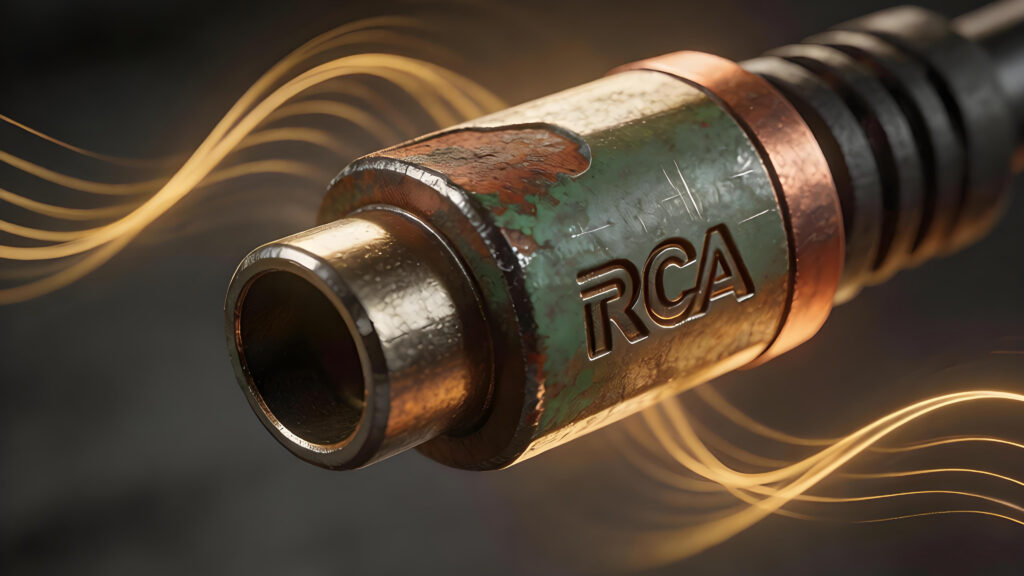
Nothing ruins an immersive audio experience faster than a persistent hum, crackling audio, or a flickering video feed. While most users immediately blame their cables, the culprit is often hiding in plain sight: your rca jack female connection. Over time, these critical ports suffer from oxidation, loose physical tolerances, and electromagnetic interference (EMI), all of which silently compromise signal integrity.
If you’re tired of intermittent signal loss or degraded clarity, you are likely dealing with more than just a “dirty” plug. In this guide, we dive deep into the technical reasons your ports are failing—from compromised grounding to microscopic corrosion. More importantly, we provide actionable, expert solutions, including professional cleaning techniques and simple tricks to tighten port tension. Read on to learn how to restore your connection’s grip and ensure your setup regains its peak performance and crystal-clear output.
Understanding the Anatomy and Function of the RCA Jack Female Port
To understand why signal degradation occurs, you must first visualize the RCA female port as a precision mechanical interface rather than a simple receptacle. At its core, the port consists of two primary conductive paths separated by a dielectric insulator (often Teflon or plastic). The center contact, typically a recessed socket, carries the positive signal, while the outer barrel serves as the common ground and electromagnetic shield.
In a high-fidelity connection, the integrity of these two paths is dictated by mechanical tension and surface conductivity. The female port relies on internal “leaf springs” or a tight-tolerance cylindrical sleeve to grip the male pin. Over time, repeated insertion cycles can lead to mechanical fatigue, causing these internal contacts to splay. This creates a microscopic air gap or a high-resistance bridge, which manifests as intermittent signal dropouts or a loss of low-frequency response.
Furthermore, the outer grounding barrel is your primary defense against Electromagnetic Interference (EMI) and Radio Frequency Interference (RFI). If the female port’s outer ring becomes loose or loses its “bite” on the male shroud, the grounding path is compromised. This effectively turns your cable into an antenna, introducing the dreaded 60Hz hum or high-pitched “digital noise.”
Finally, material composition plays a critical role. Most mid-range RCA ports use a brass or copper base plated with nickel or gold. While gold resists the oxidation that plagues nickel and copper, the underlying base metal can still suffer from galvanic corrosion if moisture is trapped between the male and female surfaces. Understanding this anatomy is crucial: signal loss is rarely a failure of the wire itself, but rather a breakdown of the physical and chemical bond at these specific contact points within the female architecture.
The Mechanical Culprit: How Loose Port Tension Destroys Signal Integrity
While oxidation is a common scapegoat, the most insidious cause of signal degradation in an RCA jack female port is mechanical fatigue. For a high-fidelity connection, the interface relies on two distinct contact points: the center pin (carrying the hot signal) and the outer barrel (providing the ground return). Over years of repetitive insertion cycles, the internal leaf springs and the outer grounding shroud lose their “memory” or tension—a phenomenon known as mechanical hysteresis.
When the grip tension of the female port drops below a critical threshold, the contact resistance spikes. This isn’t just a binary “connected or disconnected” issue; loose tension creates a micro-gap where oxidation can form more rapidly, and physical vibrations can cause momentary micro-disconnects. These interruptions manifest as characteristic “crackling” or a low-frequency hum, often misdiagnosed as electromagnetic interference (EMI).
The grounding ring is particularly susceptible. If the outer shroud of the female jack fails to maintain a high-pressure clamp on the male plug’s skirt, the ground path becomes high-impedance. This compromise in the ground plane effectively turns your shielded cable into an antenna, inviting RFI (Radio Frequency Interference) and 60Hz hum into the signal chain. To diagnose this, perform a “wiggle test”: gently move the cable while audio or video is active. If the signal fluctuates or the hum intensifies, your issue is “port flare.” Restoration requires precision re-tensioning of the outer ground tabs or the internal signal sleeve using non-conductive tools to restore the mechanical “bite” to its original factory tolerance.
Oxidation and Contamination: The Invisible Barrier to Audio Clarity
While mechanical tension ensures physical contact, the chemical state of the metal surfaces determines the actual quality of electron flow. Oxidation is the silent killer of audio fidelity; it is a natural chemical reaction where the metal of the RCA female jack—typically nickel, silver, or copper—reacts with oxygen and moisture to form a non-conductive “patina.” This microscopic layer of oxide acts as a high-impedance barrier, effectively turning your connection into a low-pass filter that rolls off high-frequency detail and introduces audible “static” or crackling.
Contamination goes beyond just air exposure. Skin oils from previous handling, airborne dust, and environmental pollutants migrate into the recessed barrel of the female port, creating a “boundary layer” resistance. In low-level analog signals, such as those from a turntable’s phono stage, even a few milliohms of added resistance can significantly degrade the signal-to-noise ratio and destroy the soundstage.
To restore clarity, you must go beyond simple “plug-and-unplug” cycles. While the friction of inserting a male plug provides a marginal “wiping action,” it often fails to remove stubborn chemical bonds. The expert solution involves a two-step process: first, use a specialized contact cleaner and deoxidizer (such as DeoxIT) to chemically break down the oxide layer. Apply the solution to a lint-free swab or a dedicated RCA cleaning brush to reach the internal walls of the female jack. Second, for vintage equipment with heavy tarnish, a mild mechanical agitation may be required. By neutralizing these invisible barriers, you lower the contact resistance to near-zero, ensuring that the full frequency spectrum passes through the junction without attenuation or interference.
The “Hum” Factor: Solving Ground Loops and the Pin 1 Problem in Unbalanced Connections
If you hear a persistent low-frequency buzz through your speakers or see scrolling “hum bars” on a video feed, you aren’t just dealing with a loose wire; you’re likely facing a ground loop or a variation of the “Pin 1 Problem” adapted for unbalanced RCA architecture. Unlike balanced connections that use a dedicated ground pin, the RCA female port relies on its outer sleeve for both the signal return and the shield. When two pieces of interconnected equipment are plugged into different power outlets, a potential difference in ground voltage can occur. This forces stray current to flow through the RCA cable’s shield to equalize the potential, effectively modulating your signal with 60Hz (or 50Hz) mains hum.
Expert troubleshooting starts at the female jack’s mounting point. In high-fidelity equipment, the RCA female port is often isolated from the metal chassis using non-conductive washers. If these washers degrade or if a low-quality port has a “leaky” dielectric, the signal ground can become accidentally bonded to a noisy chassis ground. To diagnose this, use a multimeter to check for continuity between the outer ring of the RCA jack and the device’s metal casing. If they are bonded in a design intended to be isolated, you have found your interference source.
To fix this, ensure all interconnected components are powered from the same high-quality power strip to unify the ground potential. If the hum persists, the most effective solution is a dedicated RCA ground loop isolator. These devices use 1:1 isolation transformers to provide galvanic isolation, meaning the electrical path is broken while the electromagnetic signal remains intact. This prevents DC current from traveling along the shield, instantly stripping away the “hum” and restoring the silent, high-contrast background your signal requires.
Combating Electromagnetic Interference (EMI) with Proper Shielding and Cable Length
Even if your female RCA port is perfectly tensioned and free of oxidation, signal degradation can still occur before the electrons reach the internal circuitry. Because RCA is an unbalanced architecture, the signal wire is inherently vulnerable to Electromagnetic Interference (EMI) and Radio Frequency Interference (RFI). In this setup, the outer ring of the female jack serves as the return path and the critical connection point for the cable’s shield. If this “drain” for interference is compromised or if the cable itself is poorly constructed, your audio or video will suffer from a raised noise floor or audible buzzing.
To combat EMI effectively, the quality of the shielding is paramount. Entry-level molded cables often utilize a loose spiral wrap that leaves gaps for RFI to penetrate. For high-fidelity applications, ensure your RCA female jacks are mated with cables featuring a high-density tinned copper braid or a dual-layer foil-and-braid shield. This creates a continuous Faraday cage from the source to the female input, effectively dumping parasitic noise to the ground.
Furthermore, cable length plays a critical role in signal preservation. Because RCA interfaces are high-impedance, longer cables introduce cumulative capacitance. This capacitance acts as a physical low-pass filter, “dulling” the audio by rolling off high-frequency transients or causing ghosting in analog video. As a diagnostic rule, keep unbalanced RCA runs under 15 feet (4.5 meters). If you must route signal cables near power transformers or AC lines, never run them parallel; cross them at a 90-degree angle to minimize inductive coupling. By prioritizing shielding integrity and minimizing the length of the “antenna,” you ensure the female RCA port receives a signal that is both clean and frequency-complete.
Step-by-Step Maintenance: How to Safely Clean and Restore RCA Female Inputs
To restore a degraded RCA female input, you must address both chemical oxidation and mechanical fatigue. Start by powering down your equipment to prevent shorting the signal path or damaging sensitive internal components. For chemical restoration, avoid generic lubricants; instead, use 99% anhydrous isopropyl alcohol or a dedicated contact cleaner like DeoxIT D5. Apply the solution to a lint-free micro-applicator or a precision cotton swab—never spray directly into the equipment chassis—and gently scrub the inner diameter of the center receptacle. This removes the microscopic layers of sulfide and oxide that act as resistive “choke points,” effectively restoring the low-impedance path required for clean signal transfer.
Next, address the physical “bite” of the connection. If the RCA male plug slides in with zero resistance, the female ground sleeve has likely suffered from mechanical splay. If the jack is an external-nut type, you can use needle-nose pliers to very gently compress the outer ground ring to restore its circular tension. For recessed, PCB-mounted jacks where the female sleeve is inaccessible, you should instead focus on slightly crimping the outer petals of your male RCA cable to ensure a high-pressure “cold weld” against the female port.
Finally, inspect the jack for “mechanical creep” or cold solder joints. If the female port wobbles when touched, the signal degradation is likely occurring at the junction where the jack meets the internal circuit board. In this case, you must reflow the solder points with a high-quality solder to eliminate intermittent conductivity. Once cleaned and tightened, insert and rotate a clean RCA plug several times to “wipe” the contacts, ensuring a gas-tight seal that prevents future oxidation and eliminates the high-frequency roll-off caused by poor surface contact.
Turntable Troubleshooting: Managing the Critical Ground Connection for Phono Inputs
When troubleshooting signal loss at the RCA jack female port, the phono input represents the most sensitive link in your audio chain. Unlike line-level components (like CD players) that output approximately 2 volts, a turntable’s Moving Magnet (MM) cartridge outputs a mere 3 to 5 millivolts. Because this signal is so fragile, any resistance caused by oxidation or loose tension in the female RCA port doesn’t just lower the volume—it drastically alters the signal-to-noise ratio, burying your music under a layer of static and hum.
The most common culprit in turntable setups is a “floating ground.” While the RCA female port’s outer ring provides a signal return path, turntables require a dedicated chassis ground to equalize the potential between the tonearm and the phono preamp. If you hear a low-frequency 60Hz hum, the issue often lies in the mechanical bond of the ground lug or a compromised connection within the RCA female sleeve itself. If the female port has lost its “grip” (low insertion force), the resulting micro-arcing can introduce pops and crackles every time the turntable vibrates.
To fix this, first ensure the RCA female jacks on your preamp are scrubbed with a specialized contact cleaner like DeoxIT to remove microscopic sulfide layers that impede low-voltage transfer. Next, inspect the grounding post adjacent to the RCA ports; it must be free of paint or corrosion to ensure a metal-to-metal bond. Finally, if the female ports feel “loose” when plugging in your phono cables, use a small non-conductive tool to gently tension the outer ground petals of the male plug or replace the female chassis mount if the internal leaf spring has fatigued. In the world of vinyl, the integrity of the female RCA connection is the only thing standing between high-fidelity warmth and unbearable systemic noise.
Interfacing with the Modern Era: Adapting RCA Female Ports to HDMI and Digital Systems
In the transition from legacy analog equipment to digital ecosystems, the RCA jack female port remains a critical bridge, yet it is often where signal quality takes its most significant hit. Bridging an analog RCA output to a modern HDMI input—or vice versa—requires more than just a physical adapter; it requires a sophisticated conversion process. Because RCA carries a continuous voltage wave and HDMI carries binary data packets, “passive” cables are physically impossible. You must use an active converter containing a Digital-to-Analog Converter (DAC) or an Analog-to-Digital Converter (ADC).
The primary cause of signal loss in these modern setups is quantization noise and jitter introduced by low-quality, unpowered conversion chips. If you notice a “thin” sound or pixelated video artifacts, the converter is likely failing to accurately reconstruct the analog wave for the female RCA port. To maintain signal integrity, always opt for active, externally powered converters that support at least 24-bit/96kHz sampling rates. This ensures the analog signal reaching the female jack has a high enough resolution to mirror the original source.
Furthermore, digital systems operate at much higher frequencies, which can introduce high-frequency switching noise into your analog path. To fix this, ensure your conversion box is properly shielded and that the RCA female connection is tightened to maximize surface contact. A loose fit at the port during an analog-to-digital transition can cause “sync drift,” where the audio and video lose alignment due to intermittent voltage drops. By using high-quality shielded interconnects between the converter and the RCA female port, you prevent the digital “clocking” noise from manifesting as audible hiss in your speakers.
DIY Fixes for Intermittent Signals: Tightening Female Contacts Without Replacing Hardware
When signal dropouts occur despite using clean, high-quality cables, the culprit is often mechanical fatigue within the female port’s internal contact structure. Over years of insertion cycles, the spring-loaded “leaf” contacts or the cylindrical barrel of the RCA female jack can expand, leading to a high-impedance connection and intermittent signal loss. Before opting for a full hardware replacement, you can often restore the “grip” and signal integrity through precision mechanical adjustments.
To address a loose internal signal contact (the center pin receptor), ensure the device is powered down and discharged. Using a non-conductive precision probe or a fine-tipped dental pick, you can reach inside the center hole of the jack. Many high-quality female ports utilize two or four internal leaf springs. Carefully nudge these leaves toward the center to reduce the inner diameter. This increases the surface area contact with the male pin, significantly lowering contact resistance and preventing the “cracking” sound typical of loose tolerances.
For the outer ground connection—which is crucial for shielding and preventing 60Hz hum—inspect the external barrel of the female jack. If it is a split-shield design, you can use needle-nose pliers to provide a microscopic “pinch” to the segments, bending them slightly inward. This ensures a 360-degree high-tension fit against the male connector’s ground shroud. A tight physical bond here is vital for maintaining a low-impedance path to the chassis ground, which is your primary defense against EMI and RFI. By restoring these mechanical tolerances, you eliminate the micro-arcing and capacitive fluctuations that degrade high-fidelity audio and video signals.
When to Replace: Identifying Physical Damage and Internal Solder Joint Failure
While cleaning and tensioning can resolve most surface-level issues, there comes a point where the structural integrity of an RCA female jack is compromised beyond repair. Identifying when to transition from maintenance to replacement is critical for preserving your equipment’s signal path. Physical damage often manifests in the dielectric—the insulating material separating the center pin from the outer ground sleeve. If this insulator is cracked, charred from previous surges, or visibly melted, the impedance of the connection changes, leading to signal reflections and high-frequency loss. Furthermore, if the outer ground tabs have lost their “spring” due to metal fatigue, they can no longer provide the 360-degree contact required for a low-resistance return path.
However, the most insidious failures occur where the eye cannot see: the internal solder joints. RCA jacks are subject to significant mechanical stress every time a cable is inserted or removed. Over years of use, this torque can lead to “cold” solder joints or hairline fractures at the point where the jack meets the Printed Circuit Board (PCB) or internal chassis wiring.
To diagnose this, perform a “stress test”: with the system on and a signal running, gently wiggle the cable connector. If you hear a sharp “pop,” a sudden drop in low-frequency response, or a total signal cutout that correlates with the movement, the internal bond has failed. At this stage, re-soldering the existing jack may provide a temporary fix, but if the internal barrel is loose within its housing, the mechanical movement will eventually break the new solder. In high-fidelity environments, replacing the aging jack with a high-quality, gold-plated, chassis-mounted alternative is the only way to guarantee a permanent, oxygen-free connection and restore the original clarity of your audio or video stream.
Choosing High-Quality RCA Female Components for Custom Audio Builds and Repairs
When selecting RCA female components for a custom build or high-end repair, the distinction between a budget stamped jack and a precision-machined connector is an engineering choice that dictates the long-term signal-to-noise ratio of your system. To ensure maximum signal integrity, focus on three pillars: metallurgy, dielectric quality, and mechanical tolerances.
Metallurgy and Plating: Prioritize base metals with high conductivity, such as Tellurium Copper or high-purity brass, over generic zinc alloys. For plating, 24k gold is the industry standard for preventing the oxidation layers that cause signal “crackle.” However, for environments subject to frequent plugging and unplugging, consider rhodium-plated connectors; rhodium offers superior hardness and resistance to mechanical abrasion, ensuring the contact remains gas-tight over hundreds of cycles.
Dielectric Materials: The insulation material surrounding the center pin—the dielectric—is critical for preventing signal leakage and maintaining impedance. Low-grade plastics can soften or melt during the soldering process, leading to pin misalignment. Professional-grade components utilize PTFE (Teflon) because of its high thermal stability and low dielectric constant. This minimizes parasitic capacitance, which is essential for preserving high-frequency transients in high-fidelity audio.
Mechanical Construction and Isolation: Seek out “solid-body” machined jacks rather than those made of folded sheet metal. Machined housings provide uniform tension against the male plug’s ground shroud, ensuring a low-impedance return path. Furthermore, for custom chassis builds, select jacks that include high-quality isolation washers. These allow you to decouple the signal ground from the metal chassis, providing the necessary control over your grounding topology to eliminate the “Pin 1 problem” and ground-loop hum. Investing in these specifications ensures that the “hidden reasons” for signal loss are engineered out of your system from the start.
Have questions or your own tips to share? Drop a comment below!